

Gal Sport Betting (GSB) App: Tips, Results and Betting on Mobile
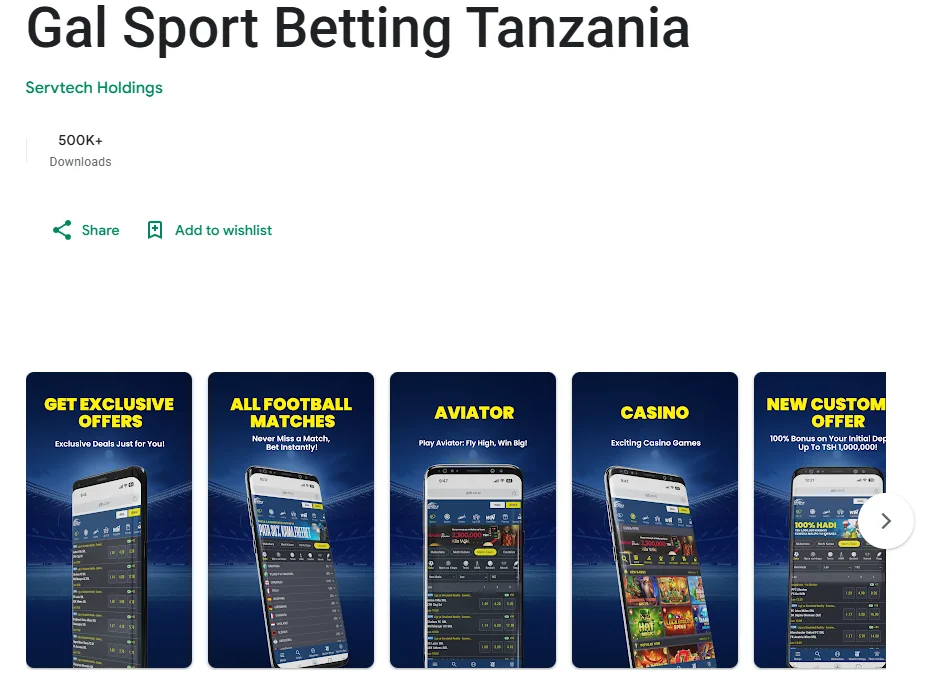
The GSB app brings match previews, results and full betting into a single mobile install, so there is no switching between a browser tab for the preview and a separate one for the bet slip. It is downloaded from the official source, the site’s footer link, or the app’s official store listing where available, and it uses the same login as the website, so there is nothing extra to set up if you already have an account.
For anyone who follows several matches a day, the app changes the practical experience more than it changes the content. The same Gal Sport Betting tips and predictions that run on the website carry over here, but having them one tap away on a phone, alongside notifications for full-time scores, turns checking a tip into something that fits between other things during the day rather than requiring you to sit down at a laptop.
GSB App at a Glance
| Field | Detail |
|---|---|
| 📱 Platforms | Android, official APK or store listing, and iOS |
| 📝 Content | Previews, tips, results and highlights alongside full betting |
| 🔑 Account | Same login, balance and bonus as the website |
| 🔔 Notifications | Optional alerts for results and key match moments |
| 🔒 Download Source | Official GSB site or official store listing only |
| 💾 Setup Time | A few minutes from download to your first login |
Tips and Results Inside the App
The app mirrors the tips and predictions content available on the site, previews before kickoff, a reasoned pick alongside each one, and results and highlights once a match finishes, all inside the same screen the bet slip lives in. Tapping a tip’s market takes you straight to the odds on the GSB sports menu, so moving from reading a preview to placing a bet takes one extra tap rather than a new page or a separate search.
This matters most on a busy fixture day, when several matches you are following kick off close together. Instead of opening the site, finding the preview, then separately opening the sports menu to place a bet, the app keeps both in view, so a tip read on the way somewhere can be acted on the moment you have a free minute, without losing your place or re-reading the same context twice.
Downloading the GSB App
Getting the app installed differs slightly depending on platform, but both routes start from the official GSB site.
- Android. Download the APK directly from the official site, or from the store listing where the app is listed there. If your phone blocks the install, enable installs from unknown sources in your settings, this is expected for any file downloaded outside a store and is not a sign of a problem with the file itself. Once installed, open the app and log in with your existing GSB credentials, or register from within the app if you are new.
- iOS. Install from the official store listing where the app is available there. If there is no store listing for your region, adding the mobile site to your home screen gives the same account, the same tips, and the same betting experience without a separate download, the shortcut behaves like an app on your home screen even though it opens through the browser underneath.
Both versions stay in sync with the same account and the same content, so there is no meaningful difference in what you can do once either one is installed and you are logged in.
Logging In and Placing a Bet in the App
Once the app is installed, launch it and sign in with the same phone number and password used for GSB login on the website. New users can register from inside the app before their first login, the process mirrors registration on the site itself.
From the dashboard, open the tips or preview section for the match that interests you, tap the market you want, check the odds, and it is added straight to your bet slip. Enter your stake, review the potential return shown in the slip, and confirm. The entire flow from opening a tip to placing a bet typically takes under a minute once you know which market you want.
Notifications for Results
Turned on from the app’s settings, notifications flag final scores and key match moments without needing the app open the whole time, useful on a day when several matches are running at once instead of refreshing the results page manually between each one. You can usually choose how much you want to be alerted for, results only, or live updates during the match as well, depending on how closely you want to follow a given game.
Keeping notifications on is particularly useful during a busy weekend of fixtures, rather than checking back repeatedly, the app tells you when something worth knowing has happened and you decide what to do with that information from there.